Amy in more languages
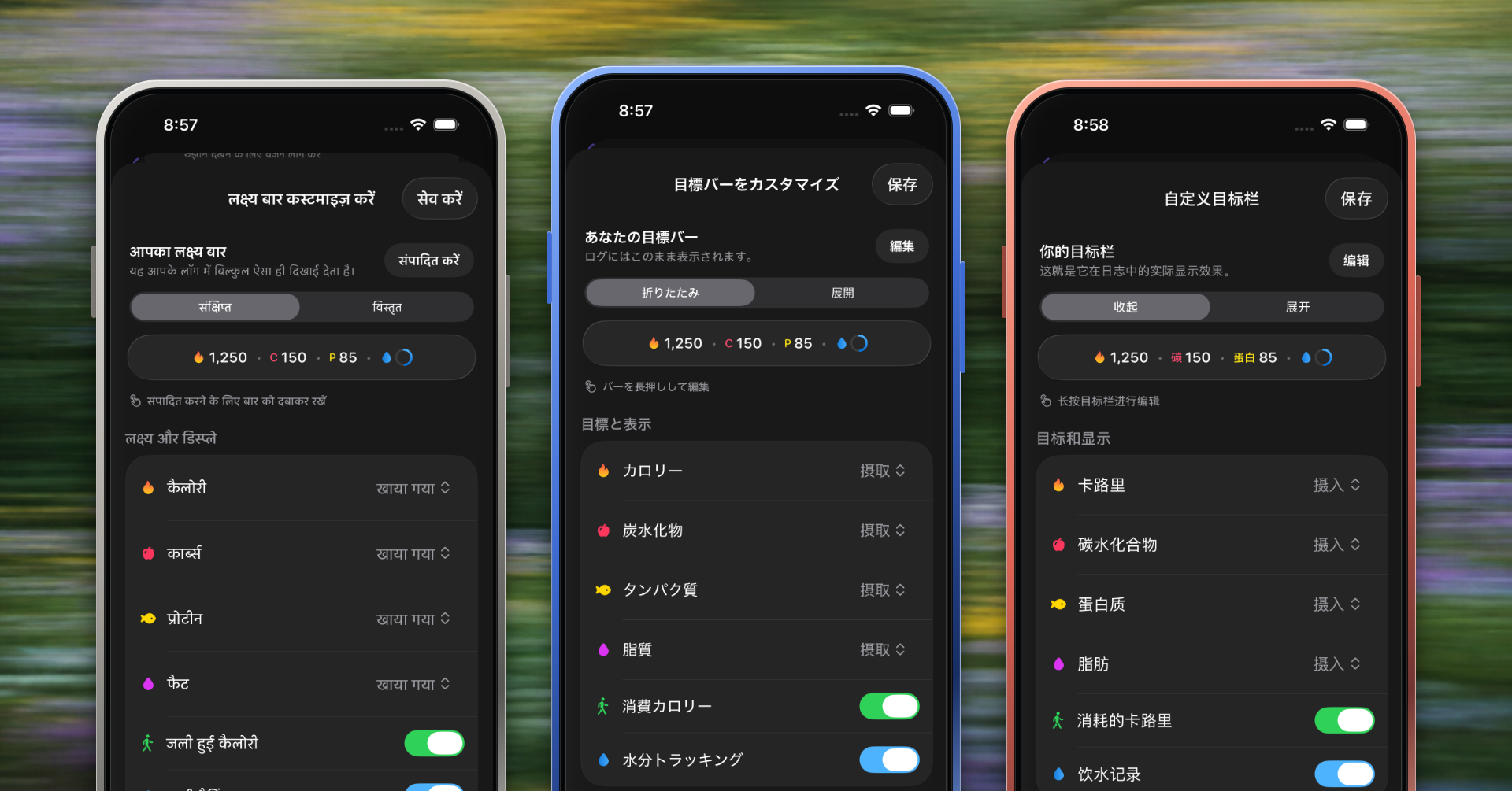
Amy now feels at home in more languages.
Nine additional languages
The app now includes German, Spanish, French, Hindi, Italian, Japanese, Korean, Brazilian Portuguese, and Simplified Chinese.
More than menus
Localization covers onboarding, settings, widgets, Siri and Shortcuts, Apple Watch and complications, nutrition units, accessibility labels, errors, status messages, and sync flows.
Built for real layouts
We also improved number formatting, units, wrapping, safe areas, and controls for longer translated text.
The full pass arrives with Amy 1.74.
Make Amy yours
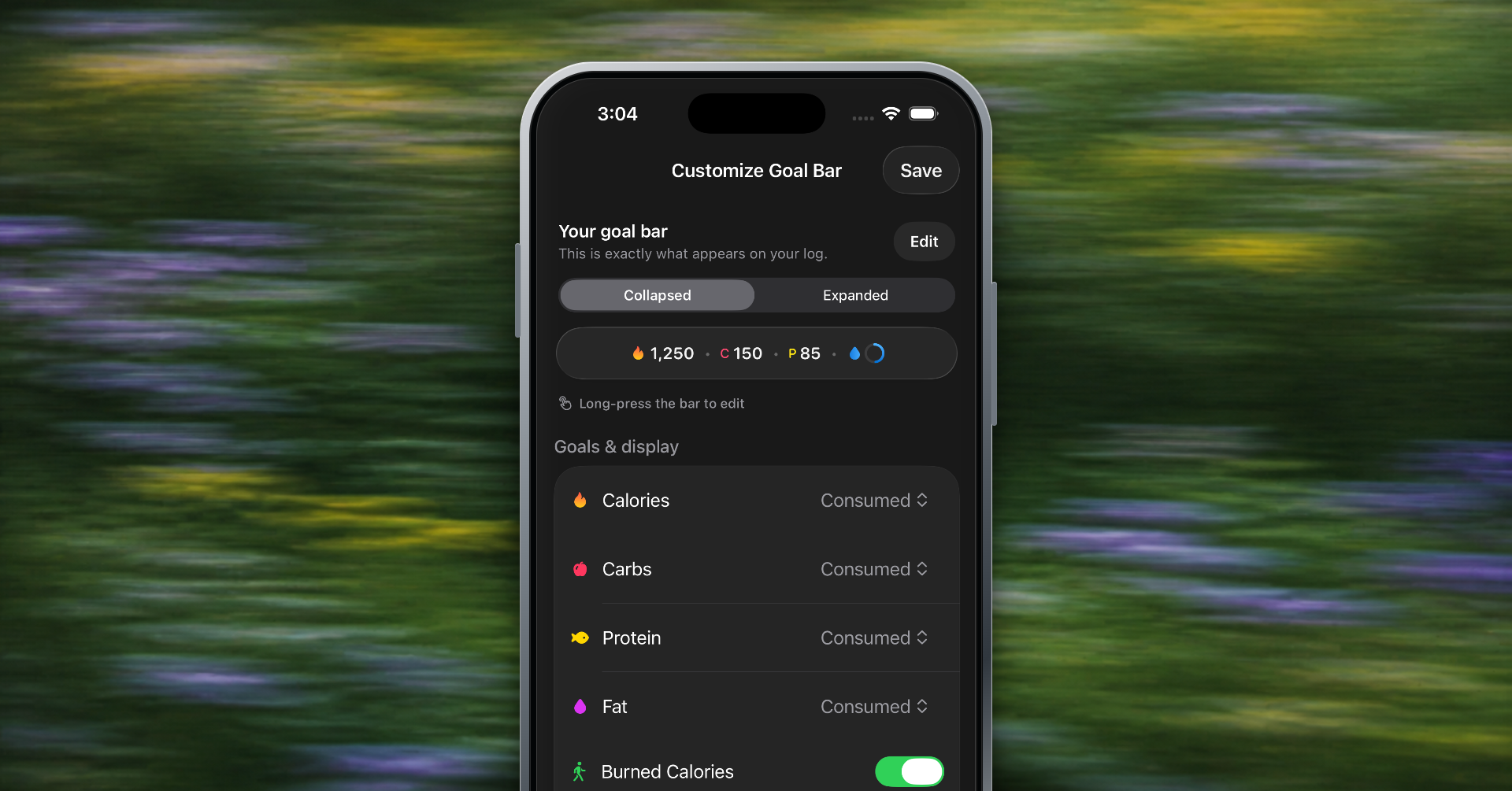
Your nutrition bar no longer has to be one-size-fits-all.
Reorder your goals
Drag calories, protein, carbs, fat, and the goals you care about into the order that works for you.
Choose what stays visible
Hide goals you do not use and decide how many appear in the compact bar.
A look that matches your phone
Amy can follow your Home Screen's light or dark app icon setting.
Introduced across Amy 1.68 and 1.72.
Cleaner food logs with summaries
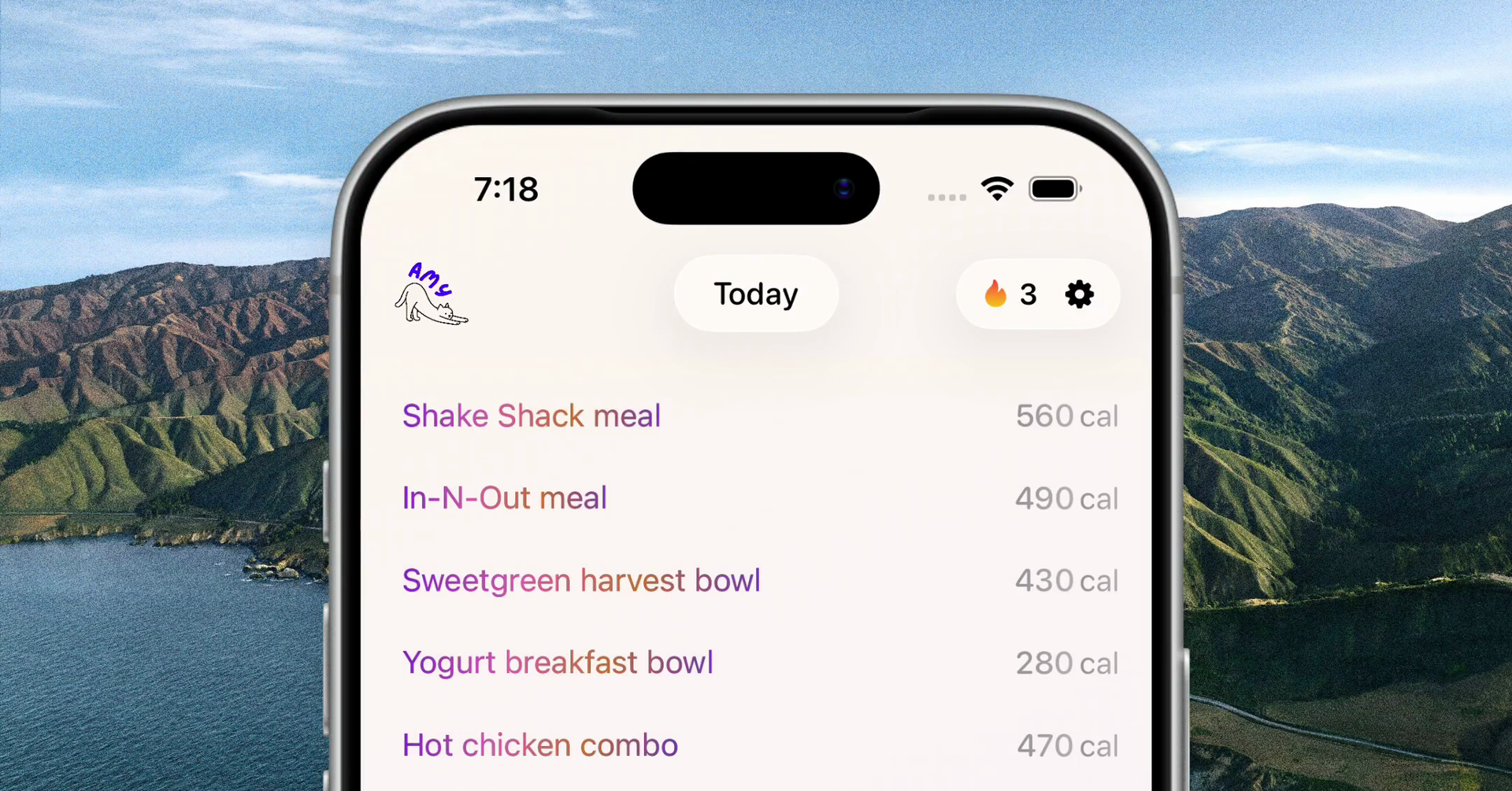
Amy can now turn long food descriptions into shorter, easier-to-scan labels after nutrition is calculated, while preserving everything you originally wrote.
Shorter at a glance
Your journal stays readable, even when a meal needs a detailed description.
Nothing gets lost
Open the entry to see the full original text whenever you need it.
Your setting follows you
Amy asks once on a long entry, syncs the preference across devices, and keeps summaries consistent after edits, day changes, and relaunches.
Introduced in Amy 1.65.
Meet Amy on Apple Watch
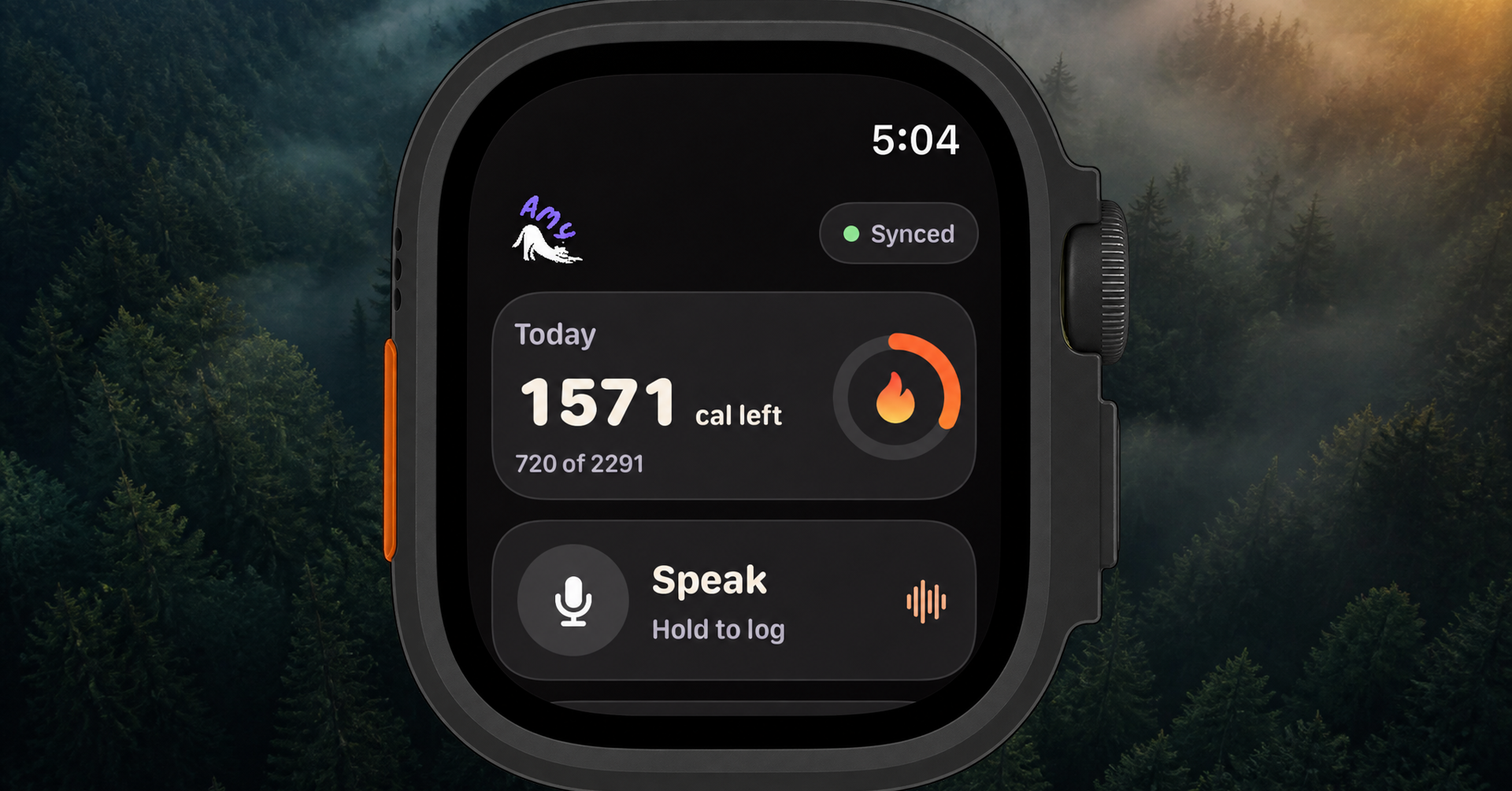
Amy now lives on your wrist.
Log meals by voice
Tap Speak, describe what you ate, and review the transcript, calories, and macros before anything is saved. Re-record or cancel whenever something needs another pass.
Your nutrition at a glance
See calories remaining, protein, carbs, fat, and saved meals directly in the Watch app. Add Amy complications to supported watch faces for calories, macros, or protein.
Made for the moments your phone stays put
Watch-to-iPhone syncing is more reliable, and your latest totals stay available on your wrist.
Arriving with Amy 1.74.
Log meals with Siri
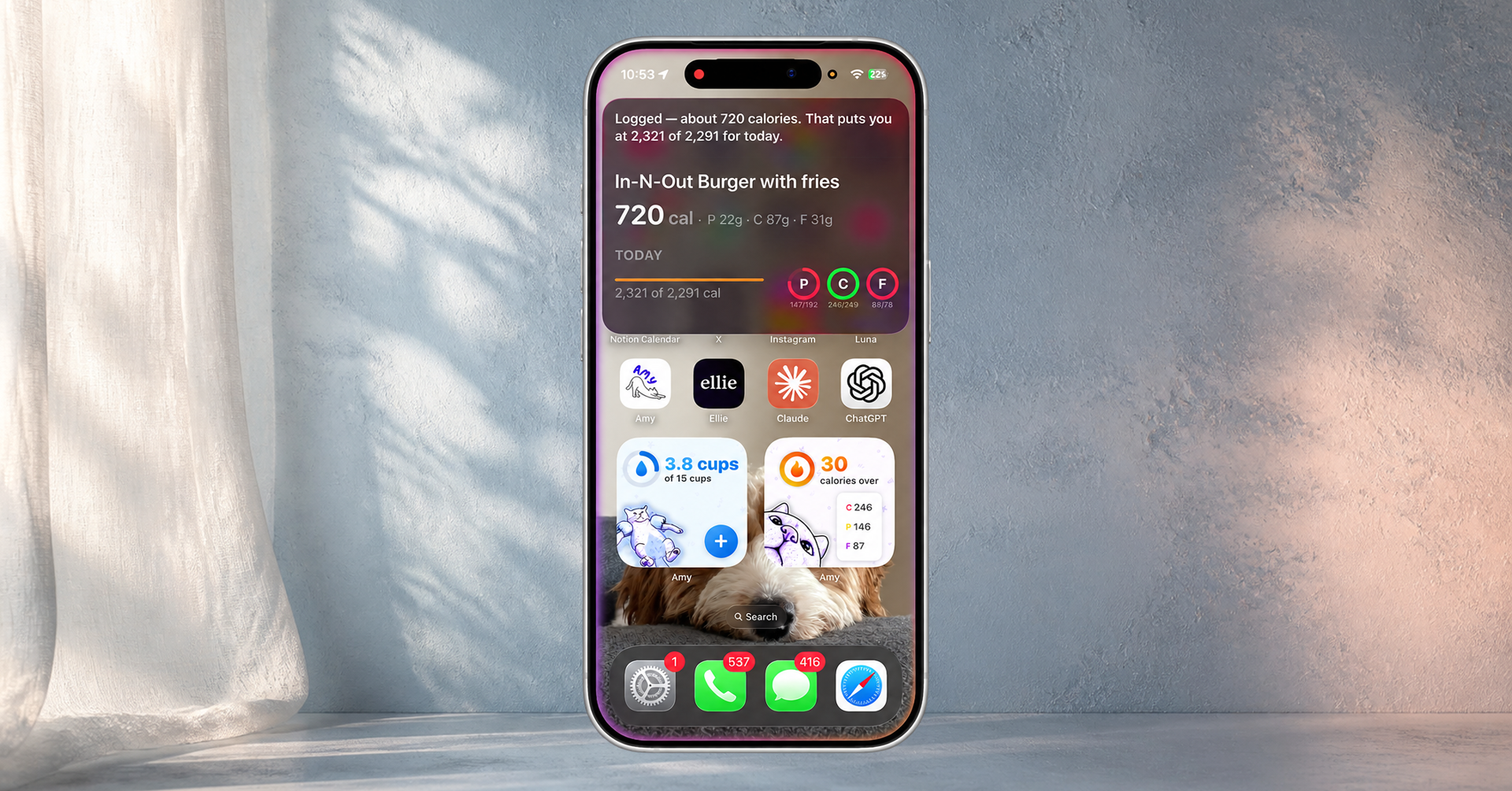
Logging can now start with your voice, even when Amy is not open.
Just ask Siri
Say “Log food with Amy,” then describe what you ate. Siri can also log a saved meal or one of your water containers.
Designed for quick capture
Amy saves your words first, then analyzes the meal and fills in calories and macros. If analysis takes longer, the entry stays safe and finishes when Amy opens.
Works with Shortcuts
Amy's logging actions are available in Apple's Shortcuts app, so you can build them into your own routines.
Introduced in Amy 1.61.
Scan labels and barcodes
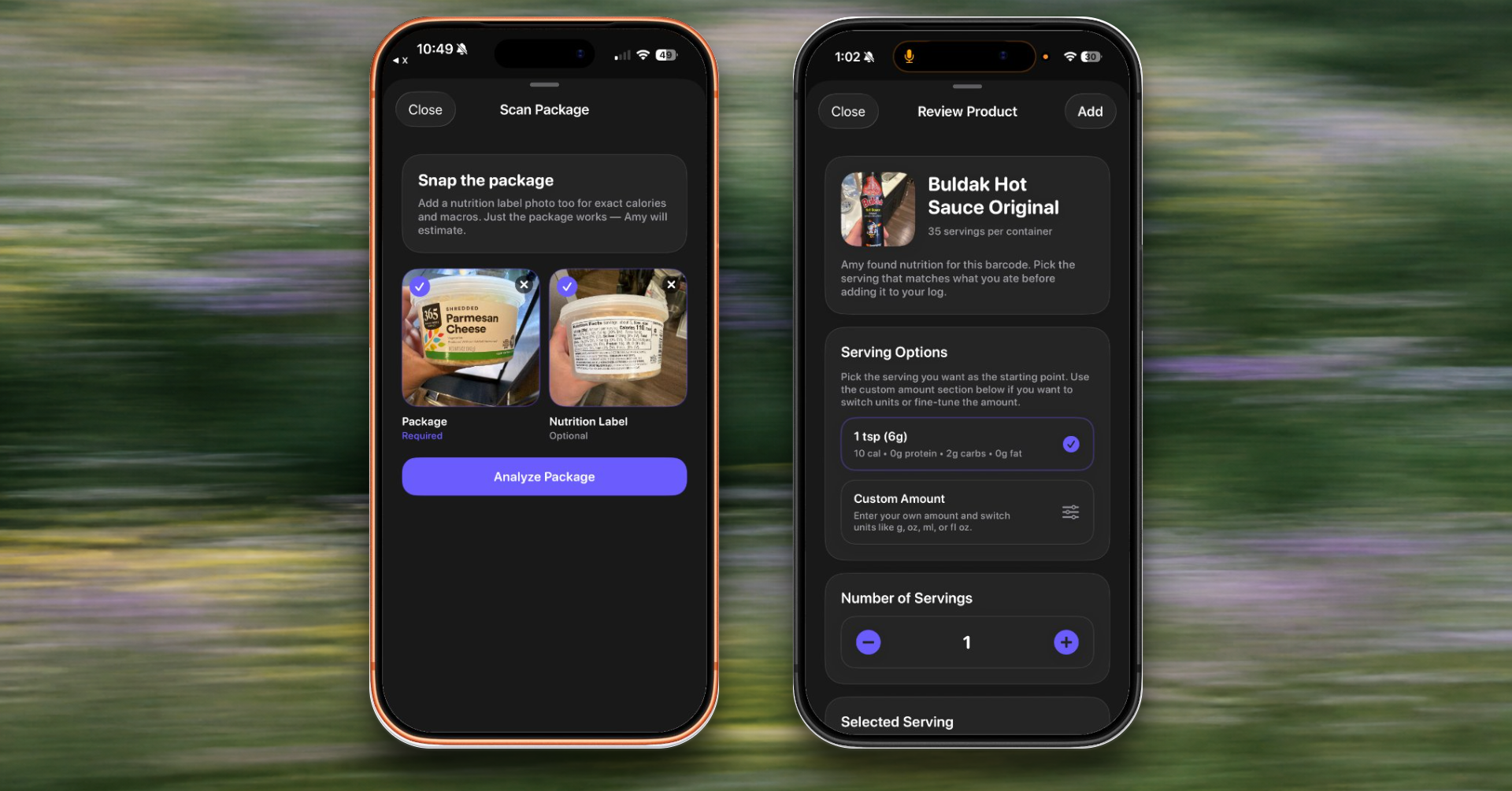
Amy can now read more from the package in front of you.
Scan the barcode
Use the camera to look up packaged foods and review calories and macros before adding them.
Photograph the label
When a barcode is not enough, capture the package or nutrition label and confirm what Amy found.
Review before saving
Adjust serving details and nutrition before anything enters your journal.
Introduced in Amy 1.58, with later scanner reliability improvements in 1.69.
Apple Health, Photos, & Sugar Tracking 🚀
We’ve focused this update on better data integration and clearer progress tracking to help you stay on top of your nutrition goals.
🍏 Apple Health Integration
Your health data now stays in sync. Nutrients, calories, and water logs from our app will automatically export to Apple Health, giving you a unified view of your wellness data across all your devices.
📸 Photo Logging
Visual tracking is now easier. You can attach photos directly to your meal logs, providing a helpful visual reference for portion sizes and meal quality alongside your raw data.
🍬 Sugar Tracking (and other micronutrients)
To help you manage sugar intake more effectively, we’ve added dedicated sugar tracking. You can now set specific daily limits and monitor your added or natural sugar consumption at a glance.
📈 Enhanced Progress Charts
We’ve redesigned the Weekly and Streak charts for better readability. The updated interface makes it easier to spot trends in your consistency and analyze your performance over time.
Bug Fixes & Improvements
-
Resolved a sync delay issue between the mobile app and web dashboard.
-
Fixed a bug that caused incorrect calorie totals on the decimal level.
-
Improved app launch speed and general navigation responsiveness.